
Autodesk Forma
In-app purchases
3.1star
4.91K reviews
1M+
Downloads

Everyone
info






About this app
Autodesk Inc.
Capture punch list items, markup drawings, log daily reports, view the latest sheets, and review 3D models from the jobsite with the Forma mobile construction app.
The Forma mobile app puts the tools and project information you rely on in your hands. Stay connected to your crews on site, manage projects, and keep work moving.
Make critical decisions faster with the Forma mobile construction app:
• Forma Build Essentials for efficient, focused field execution
• Forma Build for connecting field execution and project management
Forma Build Essentials:
Built for lean crews and growing jobs. Projects are quick to set up, easy to access, and designed for everyday work on site.
• Capture punch list items and issues from the field
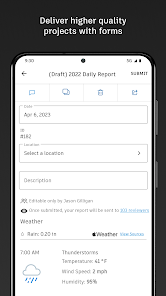
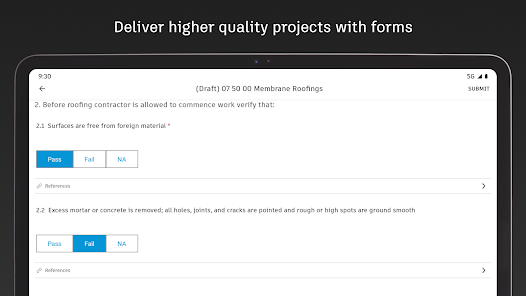
• Complete daily reports, logs, and forms
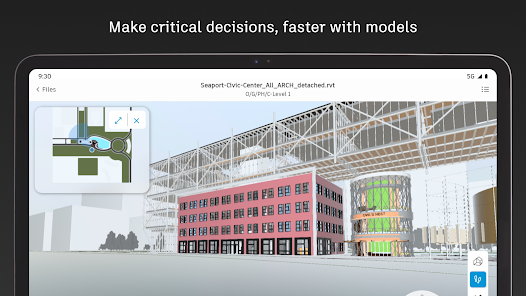
• View current construction sheets, drawings, files, and models
• Open project files and documentation
Latest sheets, files, and models
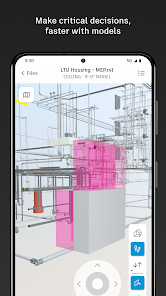
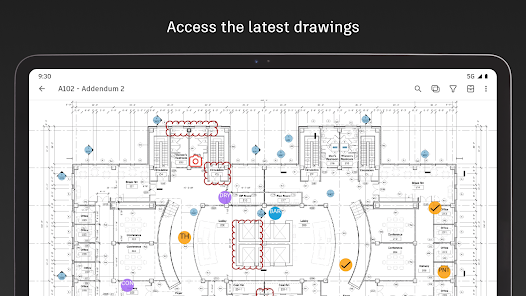
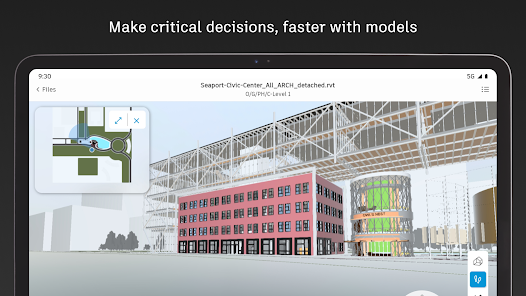
View and mark up sheets directly from the jobsite. Access project files and review 3D models to understand design intent and context. Confirm the latest versions before work begins.
• View and mark up drawings
• Open project files, sheets, and construction documents
• Review 3D models
Punch list and issue tracking
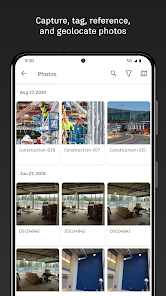
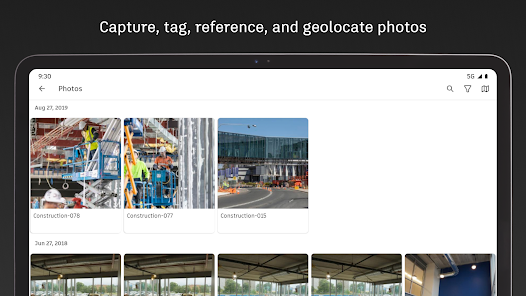
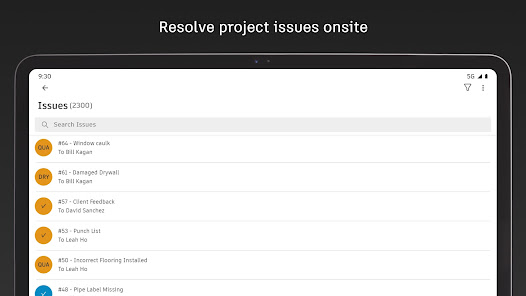
Capture punch list items and issues as you walk the jobsite. Track quality concerns. Log safety observations, near misses, and good catches. Assign responsibility and track work from open to closed.
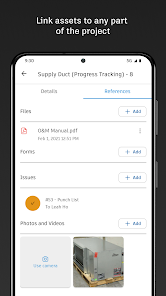
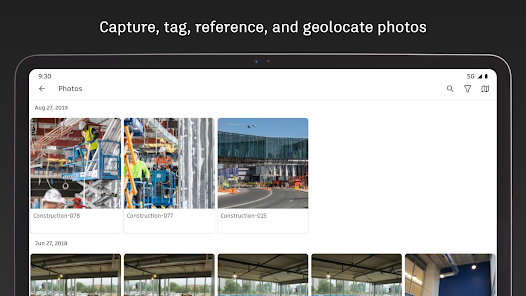
• Log issues with photos, locations, and references
• Assign owners and due dates
• Track progress from open to closed
Daily reports, checklists, and forms
Capture daily activity and site conditions, complete quality or safety inspections, and attach photos, signatures, and supporting files.
• Complete daily reports and logs
• Record site conditions and project information
• Attach photos and signatures
Fast mobile workflows
Open a project and jump straight into work.
• Access sheets, issues, forms, photos, and models quickly
• Use shortcuts for common field actions
• Keep project information accessible as connectivity changes
Forma Build:
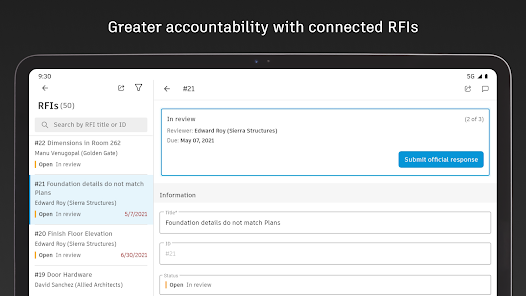
With Forma Build, bring the office and field together to keep projects aligned and on track with connected project management workflows.
• Includes core field capabilities
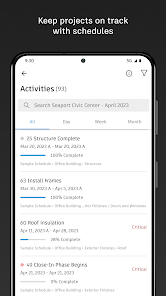
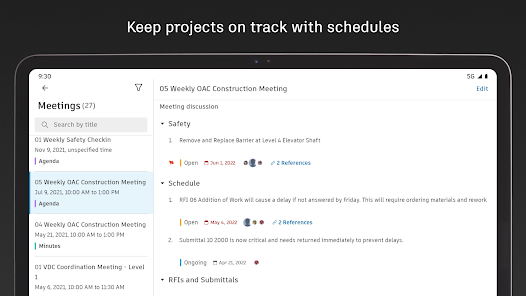
• Review project schedules and work plans
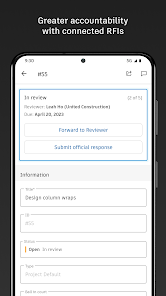
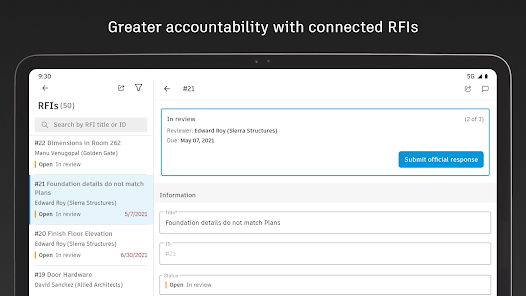
• Manage RFIs and track responses
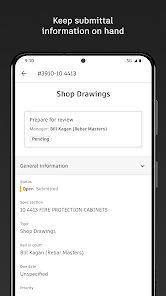
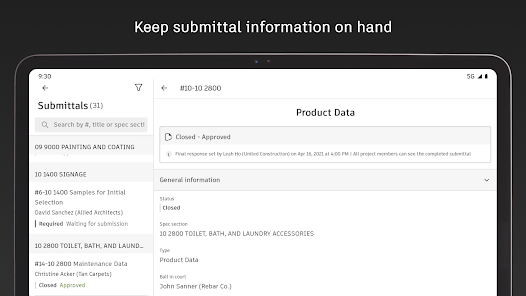
• Access approved submittals
• Capture meeting notes and manage correspondence
• Track project assets
• Manage document and package reviews
Connected across Forma:
The Forma mobile app connects you to your Forma project information, construction documents, files, and 3D models across Forma Build Essentials, Forma Build, PlanGrid, Forma Design Collaboration, and Forma Data Management, while providing access to files created in Autodesk tools like Revit, Navisworks, and AutoCAD.
See what our customers have to say:
"The ability to access 3D models from the field eliminates confusion and allows us to come to a real-time resolution for any issues onsite. This capability reduces risk and provides cost and time savings while ensuring we deliver high-quality projects to our clients."
Briana Mitchell, Project Manager, Boldt Company
"We have about 460 field employees and for them to access documents in real-time directly on their iPhone or their iPad is priceless."
Ken Mabe, Director of Field Operations, Eckardt Group
Capture punch list items, markup drawings, log daily reports, view the latest sheets, and review 3D models from the jobsite with the Forma mobile construction app.
The Forma mobile app puts the tools and project information you rely on in your hands. Stay connected to your crews on site, manage projects, and keep work moving.
Make critical decisions faster with the Forma mobile construction app:
• Forma Build Essentials for efficient, focused field execution
• Forma Build for connecting field execution and project management
Forma Build Essentials:
Built for lean crews and growing jobs. Projects are quick to set up, easy to access, and designed for everyday work on site.
• Capture punch list items and issues from the field
• Complete daily reports, logs, and forms
• View current construction sheets, drawings, files, and models
• Open project files and documentation
Latest sheets, files, and models
View and mark up sheets directly from the jobsite. Access project files and review 3D models to understand design intent and context. Confirm the latest versions before work begins.
• View and mark up drawings
• Open project files, sheets, and construction documents
• Review 3D models
Punch list and issue tracking
Capture punch list items and issues as you walk the jobsite. Track quality concerns. Log safety observations, near misses, and good catches. Assign responsibility and track work from open to closed.
• Log issues with photos, locations, and references
• Assign owners and due dates
• Track progress from open to closed
Daily reports, checklists, and forms
Capture daily activity and site conditions, complete quality or safety inspections, and attach photos, signatures, and supporting files.
• Complete daily reports and logs
• Record site conditions and project information
• Attach photos and signatures
Fast mobile workflows
Open a project and jump straight into work.
• Access sheets, issues, forms, photos, and models quickly
• Use shortcuts for common field actions
• Keep project information accessible as connectivity changes
Forma Build:
With Forma Build, bring the office and field together to keep projects aligned and on track with connected project management workflows.
• Includes core field capabilities
• Review project schedules and work plans
• Manage RFIs and track responses
• Access approved submittals
• Capture meeting notes and manage correspondence
• Track project assets
• Manage document and package reviews
Connected across Forma:
The Forma mobile app connects you to your Forma project information, construction documents, files, and 3D models across Forma Build Essentials, Forma Build, PlanGrid, Forma Design Collaboration, and Forma Data Management, while providing access to files created in Autodesk tools like Revit, Navisworks, and AutoCAD.
See what our customers have to say:
"The ability to access 3D models from the field eliminates confusion and allows us to come to a real-time resolution for any issues onsite. This capability reduces risk and provides cost and time savings while ensuring we deliver high-quality projects to our clients."
Briana Mitchell, Project Manager, Boldt Company
"We have about 460 field employees and for them to access documents in real-time directly on their iPhone or their iPad is priceless."
Ken Mabe, Director of Field Operations, Eckardt Group
Updated on
Safety starts with understanding how developers collect and share your data. Data privacy and security practices may vary based on your use, region, and age. The developer provided this information and may update it over time.

No data shared with third parties
Learn more about how developers declare sharing

This app may collect these data types
Location, Personal info and 5 others

Data is encrypted in transit

You can request that data be deleted
Ratings and reviews
3.0
3.86K reviews

Jacob Bieganowski
- Flag inappropriate
- Show review history
December 11, 2025
Not user friendly and so so slow!!! If you're wanting something good just get PROCORE! not optimized for phone or tablet use. finding what you want is a hassle, down loading drawings is even more of a hassle. Nothing fits to the screen, there's like a sheet document style layout that just over laps and covers useful info like a drawing name. everything is just clutter. Also it crashes so much, even on flagship android devices from Samsung.
1 person found this review helpful

David
- Flag inappropriate
- Show review history
September 26, 2024
Excellent idea. Terrible operation among different OS. The layer function is not even available in the webpage app. Only on mobile. You cannot edit lines in the desk app. Editing a markup in the IOS app takes more steps than on android... among other issues that are really annoying Edit. Just keeps getting worse. If you are an admin you can't really edit sheets on mobile. You have to do it in desktop version. So stupid Edit: would lower to 0 if possible. Now it logs you out every 10 minutes...
29 people found this review helpful
Autodesk Inc.
November 5, 2024
We’re sorry you are having difficulties. Please reach out to our support team to help you resolve your problems at https://www.autodesk.com/support/contact-support

Kendalyn Jones
- Flag inappropriate
June 30, 2022
Creating a sign in for the app automatically signs you up for a 30 day free trial, and following the "steps" on the website to try and unsubscribe (so you don't accidentally get billed for the subscription after a trial you weren't told you were signing up for expires) leads you in circles. Virtually impossible to cancel. Criminal.
31 people found this review helpful
What’s new
What's New:
Hammering out bugs
Reinforcing code stability
Clearing debris for improved performance
The Autodesk Construction Cloud mobile app provides field and on-the-go access to Autodesk Build, Autodesk Docs, Autodesk BIM Collaborate, Autodesk BIM Collaborate Pro, and PlanGrid.
Your input helps us continuously improve, we’d love to hear from you.
If you enjoy using ACC, please consider leaving a kind review!
Hammering out bugs
Reinforcing code stability
Clearing debris for improved performance
The Autodesk Construction Cloud mobile app provides field and on-the-go access to Autodesk Build, Autodesk Docs, Autodesk BIM Collaborate, Autodesk BIM Collaborate Pro, and PlanGrid.
Your input helps us continuously improve, we’d love to hear from you.
If you enjoy using ACC, please consider leaving a kind review!
App support
About the developer
Autodesk, Inc.
apps.email@autodesk.com
1 Market St Ste 400
San Francisco, CA 94105
United States
+1 416-874-8741


