

AR Ruler App: Tape Measure Cam
Mengandungi iklanPembelian dalam apl

4.0star
237K ulasan
10J+
Muat turun

Semua orang
info


Perihal apl ini
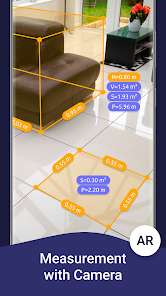
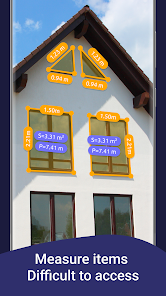
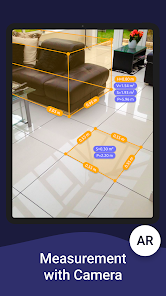
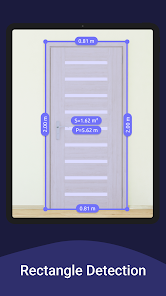
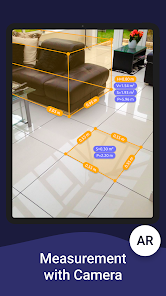
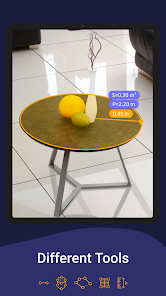
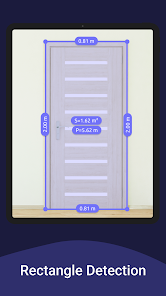
AR Ruler app uses augmented reality technology (AR) to tape measure room, home, house, homescapes with your phone camera. Target aim on the detected plane and start to use AR tape measurement tool. Try to room scan and floor plan your house with a new computer technology and share with friends in PDF format.
iPhone lidar scanner & iPad lidar version:
https://itunes.apple.com/us/app/ar-ruler-app-tape-measure/id1326773975?mt=8
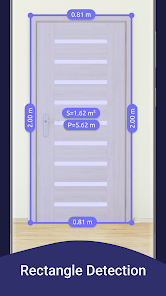
1) AR Ruler app – allows to tape measure linear sizes in cm, m (meter), mm, inches, feet, yard.
2) Distance meter – allows to tape measure distance from device camera to a fixed point on the detected 3D plane.
3) Angle – allows to tape measuring corners on 3D planes.
4) Area and Perimeter – allows to tape room measurement and area of the house.
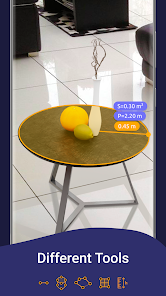
5) Volume scanner – allows to tape measure size of 3D objects.
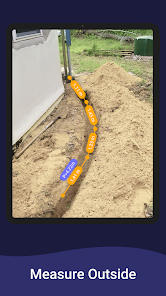
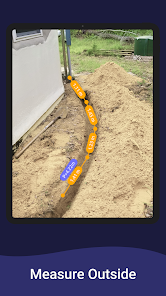
6) Path scan – allows to calculate the length of the photo path.
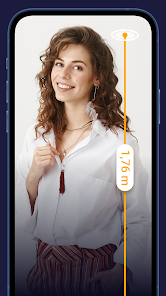
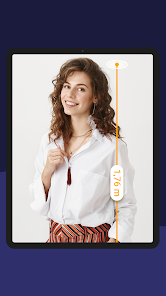
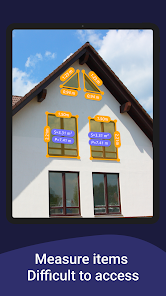
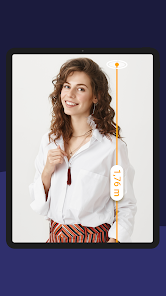
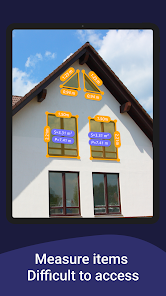
7) Height measure – allows to tape measure height relative to the recognized surface.
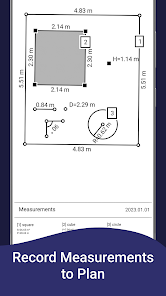
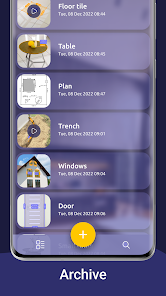
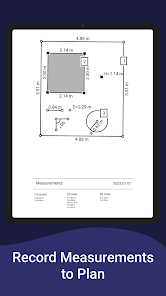
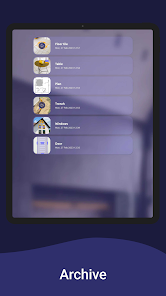
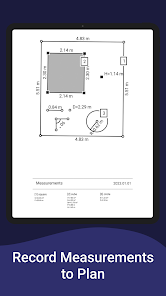
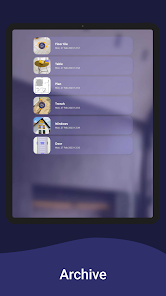
8) Room Planner and Home Design – generates a room plan projection for drawn objects and exports the floor plan to PDF format.
9) On-screen Ruler app – measuring small objects directly on the phone screen.
10) Photo measure app.
Note: Some features are Core only.
Try AR Ruler app now and make your little homescapes – we’d love to hear your feedback!
Need to measure room with phone, scan room in 3D, or calculate wall area in seconds? With the AR Ruler app, you can use AR ruler app to measure height with camera, measure distance in AR, and scan objects with lidar for accurate results. Quickly create floor plan AR, measure furniture size, and design home in AR using your phone. This smart tool helps you get room dimensions, calculate area fast, and measure space accurately anytime, anywhere.
Note:
Please note that AR Ruler app requires ARCore (aka lidar iOS) library produced by Google. ARCore is constantly improving, which, in turn, positively affects the room scanner quality and photo measurements accuracy of AR Ruler app in units of measurement such as cm, m (meter), mm, inch, feet, yard and convert into PDF-format and share with friends.
Follow us!
Twitter: https://twitter.com/grymalaofficial
Instagram: https://www.instagram.com/grymala_official/
Pinterest: https://www.pinterest.com/grymalaapps/
LinkedIn: https://www.linkedin.com/company/grymala/
Customer Support:
Should you have any questions about Augmented Reality Ruler app or need help with kamera scanner, please do not hesitate to contact us via developer email: support@grymalaltd.com.
iPhone lidar scanner & iPad lidar version:
https://itunes.apple.com/us/app/ar-ruler-app-tape-measure/id1326773975?mt=8
1) AR Ruler app – allows to tape measure linear sizes in cm, m (meter), mm, inches, feet, yard.
2) Distance meter – allows to tape measure distance from device camera to a fixed point on the detected 3D plane.
3) Angle – allows to tape measuring corners on 3D planes.
4) Area and Perimeter – allows to tape room measurement and area of the house.
5) Volume scanner – allows to tape measure size of 3D objects.
6) Path scan – allows to calculate the length of the photo path.
7) Height measure – allows to tape measure height relative to the recognized surface.
8) Room Planner and Home Design – generates a room plan projection for drawn objects and exports the floor plan to PDF format.
9) On-screen Ruler app – measuring small objects directly on the phone screen.
10) Photo measure app.
Note: Some features are Core only.
Try AR Ruler app now and make your little homescapes – we’d love to hear your feedback!
Need to measure room with phone, scan room in 3D, or calculate wall area in seconds? With the AR Ruler app, you can use AR ruler app to measure height with camera, measure distance in AR, and scan objects with lidar for accurate results. Quickly create floor plan AR, measure furniture size, and design home in AR using your phone. This smart tool helps you get room dimensions, calculate area fast, and measure space accurately anytime, anywhere.
Note:
Please note that AR Ruler app requires ARCore (aka lidar iOS) library produced by Google. ARCore is constantly improving, which, in turn, positively affects the room scanner quality and photo measurements accuracy of AR Ruler app in units of measurement such as cm, m (meter), mm, inch, feet, yard and convert into PDF-format and share with friends.
Follow us!
Twitter: https://twitter.com/grymalaofficial
Instagram: https://www.instagram.com/grymala_official/
Pinterest: https://www.pinterest.com/grymalaapps/
LinkedIn: https://www.linkedin.com/company/grymala/
Customer Support:
Should you have any questions about Augmented Reality Ruler app or need help with kamera scanner, please do not hesitate to contact us via developer email: support@grymalaltd.com.
Dikemas kini pada
Keselamatan bermula dengan memahami cara pembangun mengumpul dan berkongsi data anda. Amalan privasi dan keselamatan data mungkin berbeza-beza berdasarkan penggunaan, rantau dan umur anda. Pembangun memberikan maklumat ini dan mungkin mengemaskinikan maklumat dari semasa ke semasa.

Tiada data dikongsi dengan pihak ketiga
Ketahui lebih lanjut tentang cara pembangun mengisytiharkan perkongsian

Tiada data dikumpulkan
Ketahui lebih lanjut tentang cara pembangun mengisytiharkan pengumpulan

Data disulitkan semasa dalam perjalanan

Data tidak boleh dipadamkan
Rating dan ulasan
4.0
235K ulasan

ipan Rival
- Benderakan ulasan yang tidak sesuai
- Tunjukkan sejarah ulasan
6 Mac 2026
tak boleh pakai
Grymala apps
6 Mac 2026
Hello! Thanks for the feedback! Could you please describe in some more details what exactly does not work? You can attach a video or screenshots at:support@grymalaltd.com and we will try to resolve your issue. Have a nice day!

MOHAMAD FARRIZ FAMILIA
- Benderakan ulasan yang tidak sesuai
26 November 2025
terbaik
Grymala apps
28 November 2025
Hello! We are glad to receive your positive review. Make the most of chances of our app. We hope that it is a useful tool that allows you to make all necessary measurements❤️

warisan 2724
- Benderakan ulasan yang tidak sesuai
26 November 2025
123 good
Grymala apps
28 November 2025
Hello! We are glad to receive your positive review. Make the most of chances of our app. We hope that it is a useful tool that allows you to make all necessary measurements❤️
Perkara baharu
We have released the latest version of AR Ruler for measuring space and objects through a smartphone camera.
In this version:
- bug fixed;
- improved interface;
- optimized measurement speed.
We'd love to hear feedback from you at support@grymalaltd.com.
Thank you for choosing our apps for fast measurements.
In this version:
- bug fixed;
- improved interface;
- optimized measurement speed.
We'd love to hear feedback from you at support@grymalaltd.com.
Thank you for choosing our apps for fast measurements.
Sokongan apl
Perihal pembangun
GRYMALA SPÓŁKA Z OGRANICZONĄ ODPOWIEDZIALNOŚCIĄ
d_prybytak@grymalaltd.com
31-414 Ul. Nowogrodzka
00-511 Warszawa
Poland
+48 574 173 354


