

Flower of Power

4.5star
41 reviews
1K+
Downloads

Everyone
info











About this app
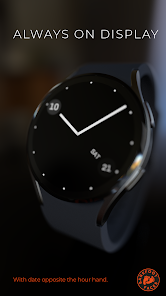
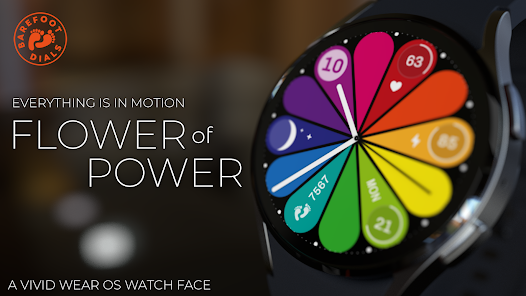
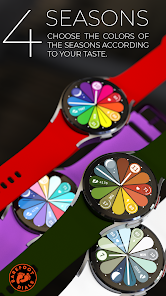
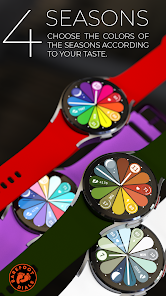
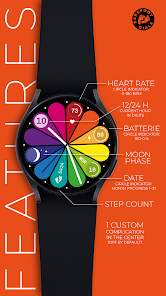
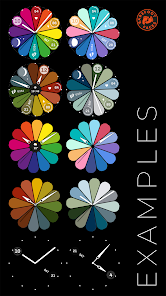
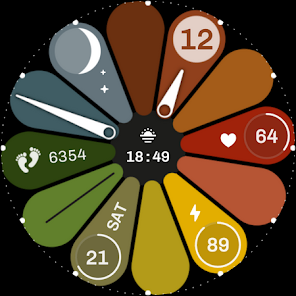
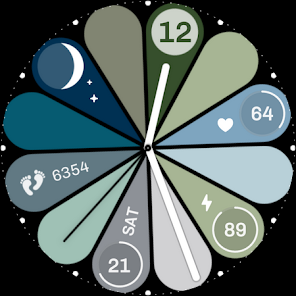
Flower of Power is a vibrant Wear OS dial with complications in motion. Each complication rotates around the center within 12 hours - except for the user-definable central complication.
Note: the appearance of user-changeable complications may vary depending on the watch manufacturer.
Phone App Features:
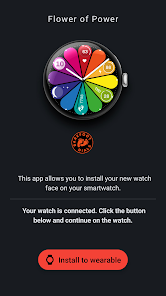
The phone app is designed to assist you in installing the watch face. Once the installation is complete, the app is no longer necessary and can be safely removed from your device.
This watch face supports Wear OS devices with Wear OS 3.0 and higher.
Note: the appearance of user-changeable complications may vary depending on the watch manufacturer.
Phone App Features:
The phone app is designed to assist you in installing the watch face. Once the installation is complete, the app is no longer necessary and can be safely removed from your device.
This watch face supports Wear OS devices with Wear OS 3.0 and higher.
Updated on
Safety starts with understanding how developers collect and share your data. Data privacy and security practices may vary based on your use, region, and age. The developer provided this information and may update it over time.

No data shared with third parties
Learn more about how developers declare sharing

No data collected
Learn more about how developers declare collection
Ratings and reviews
4.0
9 reviews

Mackenzie Wang
- Flag inappropriate
May 18, 2025
I like it, but I wish the complications didn't move around with the hour hand. It makes it hard to see the info I need at a glance. I also wish the 12 and 6 hour petals were straight up and down instead of slightly canted. I also thought I'd be able to make my own color schemes.

Selma Nombrana
- Flag inappropriate
May 3, 2025
Didnt download after paying! App says my watch is connected. Now it says " install to wearable so I press to install then it says check your watch, there is nothing in my watch! Downloaded other free faces no trouble! Paid for this one and nothing!
BarefootDials
May 4, 2025
I'm sorry you're having trouble installing. The installation process is handled entirely by Google. If you have a Galaxy Watch, you'll need to manually activate the watch face from the "Downloaded" section. You can do this either directly on the watch at the end of the watch face selection (+ symbol), or in the Wear app. Or equest a refund.

John Ray
- Flag inappropriate
March 16, 2025
Nice looking but the complications are fixed apart from the centre which is covered by the hands unless modern is selected (which to me looks weird).
What’s new
Version 1.2.0: Added two clock hand sets suitable for an active central compilation.
Watch Face Format update.
Watch Face Format update.
App support
About the developer
Björn Meyer
info@barefootdials.com
C/ Vall, 132
07620 Llucmajor
España


