
A450 Modern Watch Face Wear OS
3.5star
353 reviews
10K+
Downloads

Everyone
info





About this app
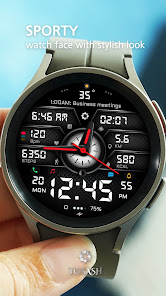
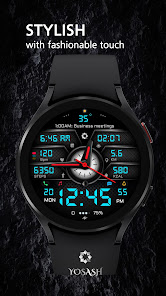
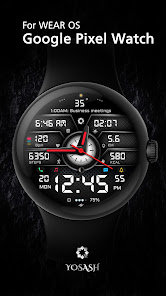
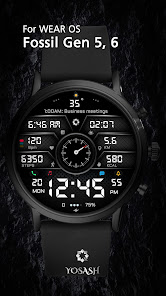
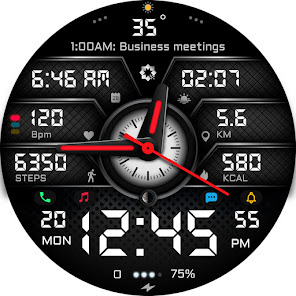
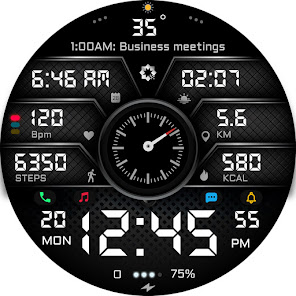
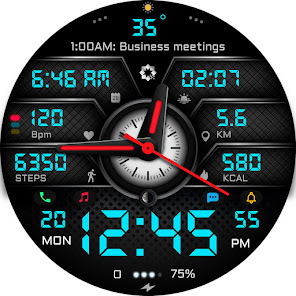
A450 Modern Watch Face for Wear OS – Analog + Digital Hybrid
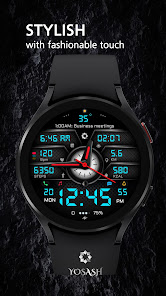
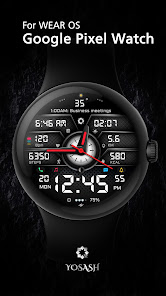
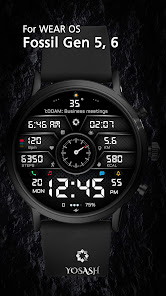
Stylish and powerful watch face built for Samsung Galaxy Watch, Google Pixel Watch, and all Wear OS devices. Clean design, deep customization, and real health tracking with smart shortcuts.
Key Features:
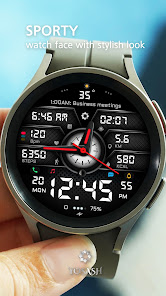
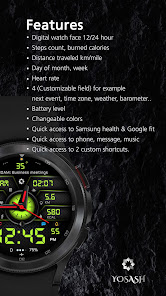
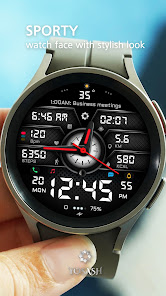
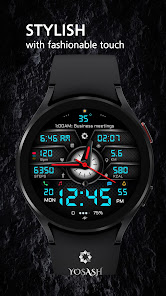
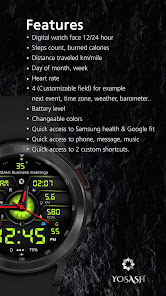
• Hybrid analog + digital display (12/24h follows phone settings)
• Steps, calories, distance tracking
• Heart rate monitoring (device dependent)
• Moon phase, date, and weekday
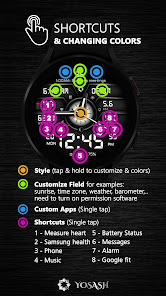
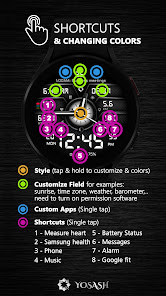
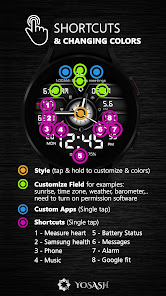
• 4 customizable complications (weather, sunrise, barometer, time zone, events, etc.)
• 2 customizable app shortcuts
• Quick access to Phone, Messages, Music, Google Fit, Samsung Health
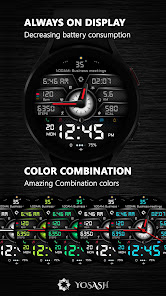
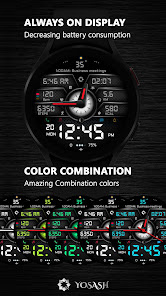
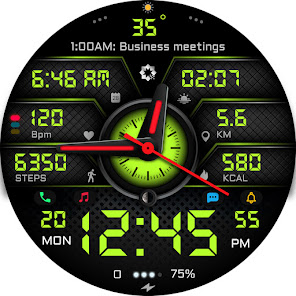
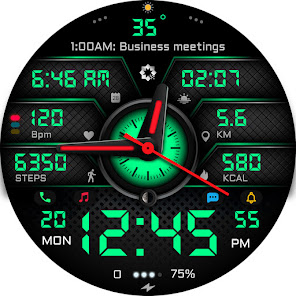
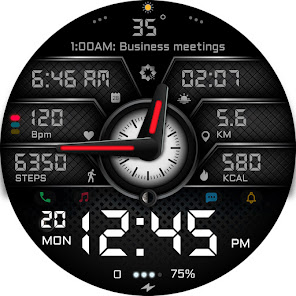
• Change colors, hide analog hands, customize layout
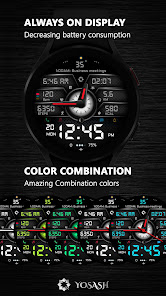
• Always-On Display (AOD) optimized
• Multiple themes and full personalization
💎 Special Offer: Buy 1 → Get 1 Free!
👉 Just leave a review & email us to unlock your bonus watch face.
📲 Compatibility
Works with all smartwatches running Wear OS 3.5+, including:
Samsung Galaxy Watch 4, 5, 6, 7, 8 & Ultra
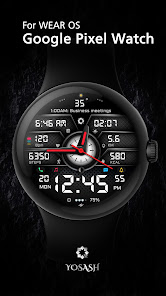
Google Pixel Watch (1 & 2)
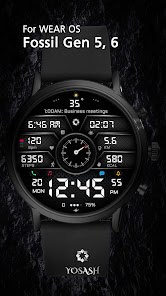
Fossil, TicWatch, and more Wear OS devices
⚙️ How to Install & Customize
Open Google Play Store on your watch and install directly
Long press the watch face → Customize → Set colors, hands & complications
🌐 Follow Us
Stay updated with new designs, offers, and giveaways:
📸 Instagram:
https://instagram.com/yosash.watch
🐦 Twitter/X:
https://x.com/yosash2
▶️ YouTube:
https://www.youtube.com/@yosash6013
📘 Facebook:
https://facebook.com/yosash.watch
💬 Telegram:
https://t.me/yosash_watch
🌍 Website:
https://yosash.watch
💬 Support
📧 yosash.group@gmail.com
Stylish and powerful watch face built for Samsung Galaxy Watch, Google Pixel Watch, and all Wear OS devices. Clean design, deep customization, and real health tracking with smart shortcuts.
Key Features:
• Hybrid analog + digital display (12/24h follows phone settings)
• Steps, calories, distance tracking
• Heart rate monitoring (device dependent)
• Moon phase, date, and weekday
• 4 customizable complications (weather, sunrise, barometer, time zone, events, etc.)
• 2 customizable app shortcuts
• Quick access to Phone, Messages, Music, Google Fit, Samsung Health
• Change colors, hide analog hands, customize layout
• Always-On Display (AOD) optimized
• Multiple themes and full personalization
💎 Special Offer: Buy 1 → Get 1 Free!
👉 Just leave a review & email us to unlock your bonus watch face.
📲 Compatibility
Works with all smartwatches running Wear OS 3.5+, including:
Samsung Galaxy Watch 4, 5, 6, 7, 8 & Ultra
Google Pixel Watch (1 & 2)
Fossil, TicWatch, and more Wear OS devices
⚙️ How to Install & Customize
Open Google Play Store on your watch and install directly
Long press the watch face → Customize → Set colors, hands & complications
🌐 Follow Us
Stay updated with new designs, offers, and giveaways:
📸 Instagram:
https://instagram.com/yosash.watch
🐦 Twitter/X:
https://x.com/yosash2
▶️ YouTube:
https://www.youtube.com/@yosash6013
📘 Facebook:
https://facebook.com/yosash.watch
💬 Telegram:
https://t.me/yosash_watch
🌍 Website:
https://yosash.watch
💬 Support
📧 yosash.group@gmail.com
Updated on
Safety starts with understanding how developers collect and share your data. Data privacy and security practices may vary based on your use, region, and age. The developer provided this information and may update it over time.

No data shared with third parties
Learn more about how developers declare sharing

No data collected
Learn more about how developers declare collection
Ratings and reviews
3.3
222 reviews

FM Rovers
- Flag inappropriate
- Show review history
July 12, 2023
Had some problems with the downloading. But restarting it on my watch fixed it. I hope the step counter will not redirect me to a Samsung app (I don't have Samsung) but to an app i can choose (for step counter) And i hope the distance can be in km ór in mile And that the hands can be thinner/ transparent, with the small round background to be a compass. :)
4 people found this review helpful

Eric -
- Flag inappropriate
December 26, 2022
I finally found a watch face that I like. It shows me all the info I could need, neatly categorized so it's not confusing. Some future features I would like to see: Maybe different backgrounds, and the option to add numbers around the bezel for watches like the pixel watch that don't have it.
9 people found this review helpful

Just Sturgis
- Flag inappropriate
- Show review history
February 21, 2023
Could not figure out how to set watch face on watch. Tried everything I could think of, but found no way to set it. Not Facer, not the SamsungWear app, not WearOS, nothing works, although both my phone and the watch show the face as being installed. Too bad because it looks like a great face but if it isn't simple to change faces it's not worth the hassle. Refunded. Dev keeps saying "install it from the watch", I did. It installed. No clear way to make it the default face.
5 people found this review helpful
Yosash
February 21, 2023
Please make sure that the account you used to purchase is the same account on your watch. Then, open the play store from the watch & search for the watch face name. & install it directly from the watch. If you need more help you can send to yosash.group@gmail.com
What’s new
Fixing Color issue
App support
About the developer
Ashraf Fouad Mahmoud Ibrahem
yosash.group@gmail.com
519 Eskan el Shabab 100 el Shorouk City
Cairo
القاهرة 11837
Egypt


