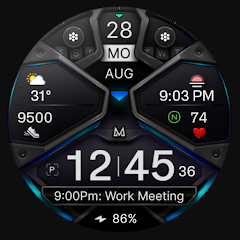
MD326 3D Modern Watch Face
4.6star
1.23K reviews
10K+
Downloads

Everyone
info


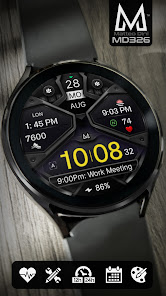
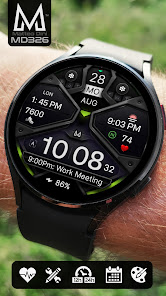
About this app
Note for Galaxy Watch Users: The watch face editor in the Samsung Wearable app often fails to load complex watch faces like this one.
This is not an issue with the watch face itself.
It is recommended to customize the watch face directly on the watch until Samsung resolves this issue.
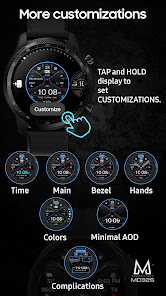
TAP AND HOLD SCREEN ON WATCH AND SELECT CUSTOMIZE.
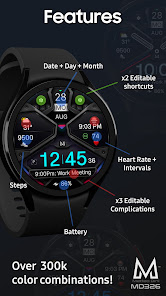
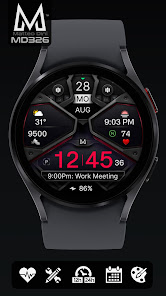
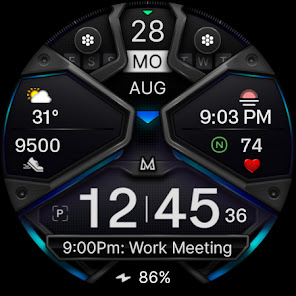
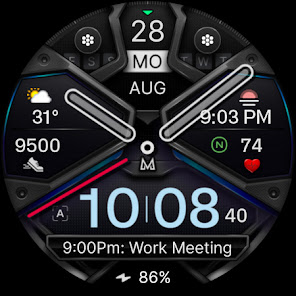
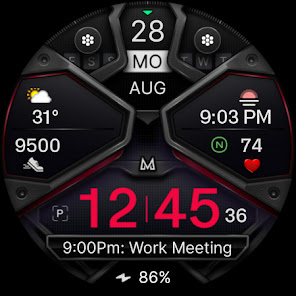
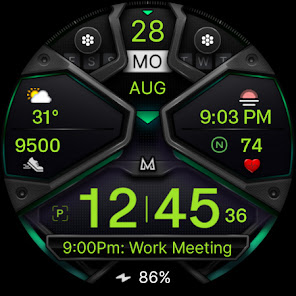
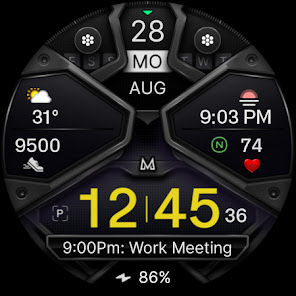
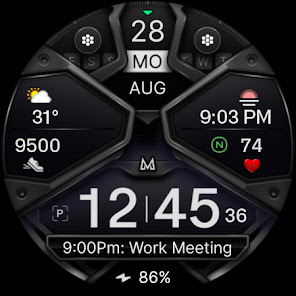
It contains 3 Preset App shortcuts, 2 customizable shortcuts, 3 customizable complications where you can have the data you prefer like weather, barometer, uv index, chanche of rain etc.
INSTALLATION NOTES:
Please check this link for installation and troubleshooting guide:
https://www.matteodinimd.com/watchface-installation/
This watch face supports all Wear OS devices with API Level 33+ (Wear OS 4 and later versions) like Samsung Galaxy Watch 4-8, Ultra, Pixel Watch etc.
Features:
- 12/24hr based on phone settings
- Date
- Day
- Month
- Battery
- Steps
- Heart Rate + Intervals
- 3 Preset app shortcuts
- 2 customizable shortcuts
- 3 customizable complications
- Always ON Display with optional mimimal style
- Hideable hands
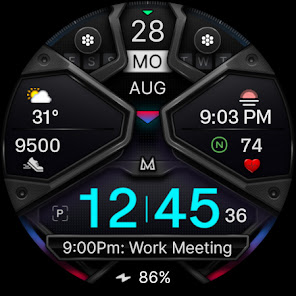
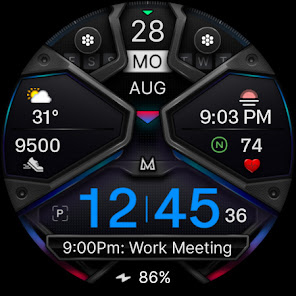
- Changeable colors of time, bezel, background and general colors.
Customization:
1 - Touch and hold display
2 - Tap on customize option
Preset APP Shortcuts:
- Calendar
- Battery
- Measure Heart Rate
Complications:
you can customize the watch face with the any data you want.
For example, you can select weather, world clock, barometer etc.
**some features may not be available on some watches.
Let's keep in touch:
Newsletter:
Sign up to stay updated with new watchfaces and promotions!
http://eepurl.com/hlRcvf
FACEBOOK:
https://www.facebook.com/matteodiniwatchfaces
INSTAGRAM:
https://www.instagram.com/mdwatchfaces/
TELEGRAM:
https://t.me/mdwatchfaces
WEB:
https://www.matteodinimd.com
Thank you.
This is not an issue with the watch face itself.
It is recommended to customize the watch face directly on the watch until Samsung resolves this issue.
TAP AND HOLD SCREEN ON WATCH AND SELECT CUSTOMIZE.
It contains 3 Preset App shortcuts, 2 customizable shortcuts, 3 customizable complications where you can have the data you prefer like weather, barometer, uv index, chanche of rain etc.
INSTALLATION NOTES:
Please check this link for installation and troubleshooting guide:
https://www.matteodinimd.com/watchface-installation/
This watch face supports all Wear OS devices with API Level 33+ (Wear OS 4 and later versions) like Samsung Galaxy Watch 4-8, Ultra, Pixel Watch etc.
Features:
- 12/24hr based on phone settings
- Date
- Day
- Month
- Battery
- Steps
- Heart Rate + Intervals
- 3 Preset app shortcuts
- 2 customizable shortcuts
- 3 customizable complications
- Always ON Display with optional mimimal style
- Hideable hands
- Changeable colors of time, bezel, background and general colors.
Customization:
1 - Touch and hold display
2 - Tap on customize option
Preset APP Shortcuts:
- Calendar
- Battery
- Measure Heart Rate
Complications:
you can customize the watch face with the any data you want.
For example, you can select weather, world clock, barometer etc.
**some features may not be available on some watches.
Let's keep in touch:
Newsletter:
Sign up to stay updated with new watchfaces and promotions!
http://eepurl.com/hlRcvf
FACEBOOK:
https://www.facebook.com/matteodiniwatchfaces
INSTAGRAM:
https://www.instagram.com/mdwatchfaces/
TELEGRAM:
https://t.me/mdwatchfaces
WEB:
https://www.matteodinimd.com
Thank you.
Updated on
Safety starts with understanding how developers collect and share your data. Data privacy and security practices may vary based on your use, region, and age. The developer provided this information and may update it over time.

No data shared with third parties
Learn more about how developers declare sharing

No data collected
Learn more about how developers declare collection
Ratings and reviews
4.0
404 reviews

zeillion
- Flag inappropriate
February 11, 2024
Awesome watch faces! My biggest beef with this developer is I CAN'T DECIDE WHICH ONE I LIKE BEST. I really like these styles and get lots of compliments. But most of all the options and customization is my real draw. To be able to see all the pertinent stuff at a glance and have separate buttons for on-call apps really is ideal. I'm a huge fan of colors on black backgrounds and when they look this nice how can you go wrong. Here I go buying another... 🤷😉
52 people found this review helpful

Kem Qemal
- Flag inappropriate
August 10, 2025
Great watch face. This is the best one you guys have created so far. It looks 3D with great accents and light reflections. My only suggestion is the watch hands need improving. There is only one style of watch hands and they don't have a real watch hand look to them. I turn the hands off and just use the digital time display, that's why I'm still giving it 5 stars.
32 people found this review helpful
Matteo Dini MD ® Watch Faces
August 10, 2025
Thank you for your kind words and feedback! 😊
We’re glad you enjoy the design and 3D effects.
We’ll keep your suggestion about adding more watch hand styles in mind for future updates.
Your support and 5-star rating mean a lot to us! 🙏
Best,
MD watch faces

Roger Kitson
- Flag inappropriate
August 22, 2023
Nice clear watch face. I like that you have the option of adding analog hands to the watch face if you want to. I don't know if it's just my personal preference, but I do prefer the shortcuts being monochrome, probably as I go for more muted colour schemes on watch faces - keep it simple.
12 people found this review helpful
Matteo Dini MD ® Watch Faces
September 13, 2023
Thank you ! ❤️
What’s new
Companion App updated with target SDK 35.
App support
About the developer
CANALETTI VANIA
support@matteodinimd.com
VIA DEGLI ULIVI 31
57014 COLLESALVETTI
Italy
+39 338 473 7327


